Sell flowers online and in store. Run your business from one platform.
Sell flowers online or at the counter. Keep recipient details, greeting cards, stock, staff preparation, payments and delivery connected.
Everything to sell, operate and grow
See Bloomlytix around your florist workflow
Share a few details and we will arrange a focused walkthrough of the ecommerce and operating workflow.
- Tailored to your sales channels and day-to-day operation
- Clear plan, onboarding scope, and next steps
Florist software works inside the complete Bloomlytix platform.
This is not a separately purchased florist software product. When a paid Bloomlytix subscription is active, the core ecommerce and operating modules work together around the same catalog, customers, orders, branches, staff, payments, stock, fulfilment, delivery, cash, and reporting data for your florist.
Every plan includes full support and a dedicated relationship manager. Plans differ only by included users, branches, and customer-app entitlement. Drivers count as users. Starter includes the branded website without a customer app, Growth adds Android, and Pro includes Android and iOS customer apps.
Manage the personal details without losing operational control
Flower orders combine product choices, recipient details, emotion, timing, preparation, and delivery. Bloomlytix keeps that context attached to one traceable order.
Sell the full arrangement
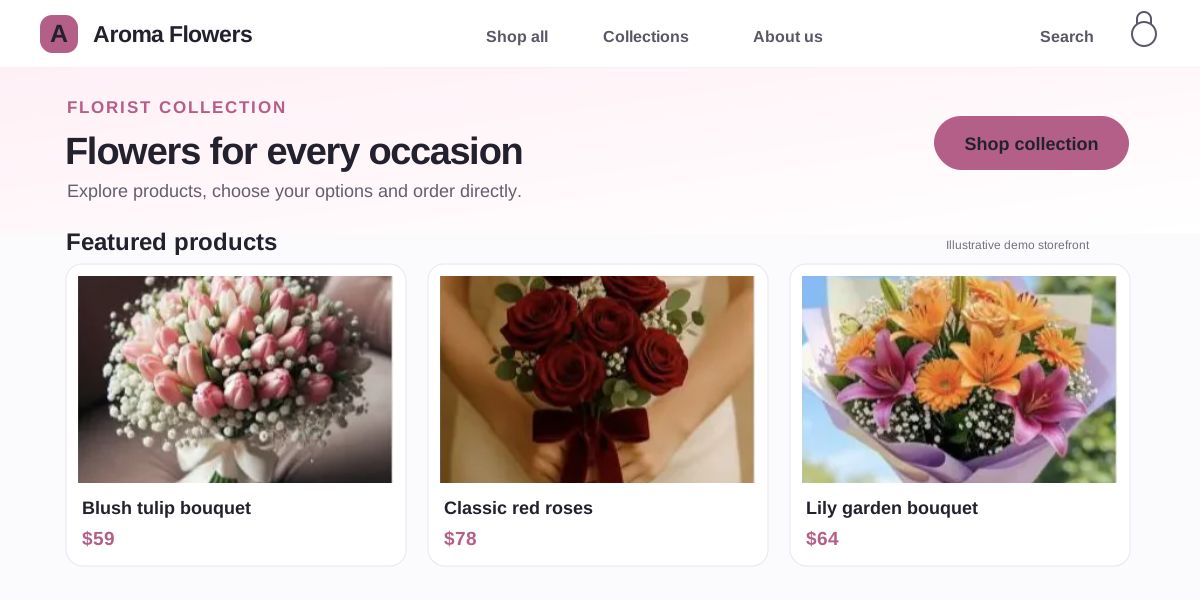
Present bouquets, boxes, vases, plants, sizes, colors, add-ons, occasion collections, and related products under your own brand.
Protect every personal detail
Keep sender, recipient, greeting message, delivery slot, payment status, notes, and special instructions visible to the right staff.
See the florist order workflowDeliver on the promise
Coordinate preparation, driver assignment, navigation, delivery updates, exceptions, and proof without rebuilding the order in another tool.
Bring direct sales and shop operations onto the same order record
Branded ecommerce and mobile apps
- Mobile-first storefront on your own domain
- Delivery dates, time slots, zones, charges, and minimum order rules
- Recipient details, greeting messages, add-ons, coupons, and order notes
- Android and iOS apps with saved addresses, wishlist, order history, and quick reorder
- SEO-ready product, category, occasion, landing, and blog pages
Staff app, POS, cards, and payments
- Online, app, POS, manual, and payment-link orders in one workflow
- Accepted, preparing, ready, assigned, out-for-delivery, and delivered statuses
- Staff tasks, special instructions, preparation photos, and order timeline
- Greeting card preview, printing, occasion templates, and reprints
- Counter sales, custom bouquet pricing, discounts, receipts, and invoices
Inventory, purchases, and cash visibility
- Ready products, add-ons, vases, boxes, chocolates, ribbons, and packaging stock
- Branch inventory, low-stock alerts, wastage, transfers, and movement history
- Supplier purchase invoices, VAT, categories, totals, and receipt attachments
- Staff and branch cash received, expenses, cash in hand, and proof
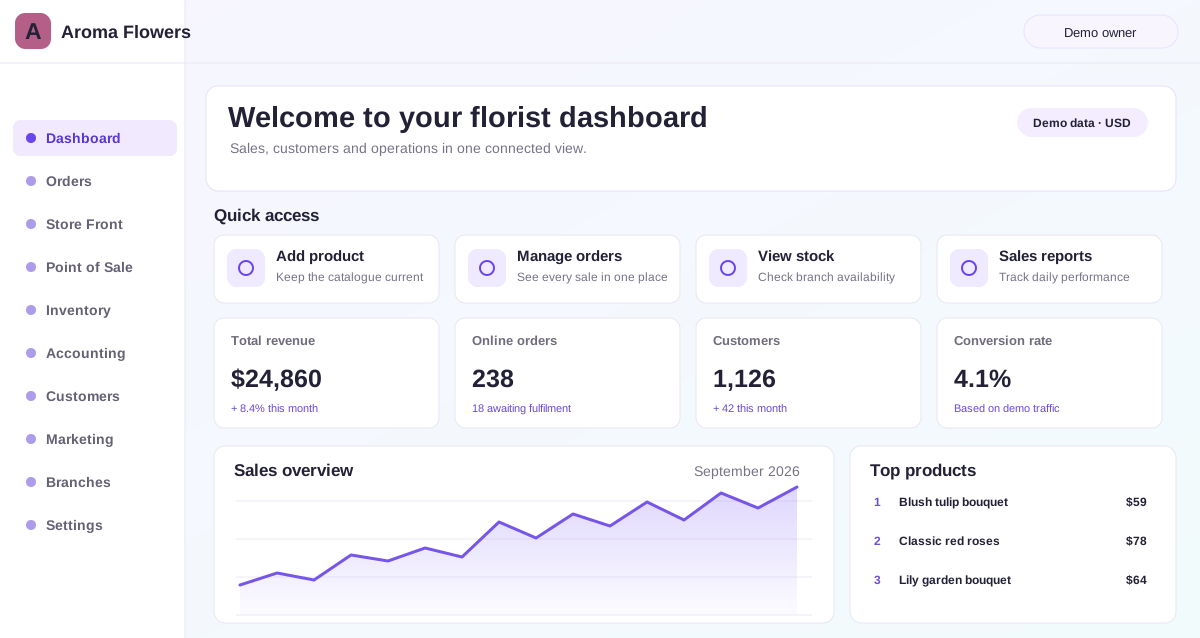
- Owner review across sales, stock, purchases, staff, cash, and branches
Dispatch and driver accountability
- Zones, charges, delivery slots, and branch-aware fulfilment
- Driver assignment with recipient details, address, and navigation
- On-the-way, delivered, failed, returned, and rescheduled statuses
- Configurable delivery proof using photo, recipient name, signature, or notes
- Pending deliveries, completed orders, driver, and zone performance reports
From bouquet selection to proof of delivery
- Customer orders. They choose the arrangement, options, add-ons, recipient, message, delivery date, and time slot.
- The shop receives one complete record. Payment, personal details, instructions, and delivery context arrive together.
- Staff prepares accurately. The team accepts the order, handles assigned tasks, prints the greeting card, and marks it ready.
- A driver completes the handoff. Dispatch assigns the delivery with navigation, status updates, and configured proof.
- The owner keeps visibility. Sales, product, stock, cash, staff, branch, and delivery reporting stay connected.
Replace repeated entry and disconnected handoffs
| Workflow | Disconnected setup | Bloomlytix |
|---|---|---|
| Online + counter sales | Separate catalogs and reports | Shared products, orders, customers, and reporting |
| Order preparation | Printed notes, calls, and chat messages | Structured staff workflow with details and status history |
| Greeting cards | Messages copied or written again | Customer-entered message printed from the order |
| Local delivery | Addresses and updates passed manually | Slots, driver assignment, status, and configured proof |
| Owner visibility | Multiple spreadsheets and summaries | Connected sales, branch, stock, cash, staff, and delivery reports |
| Growth content | Manual product and SEO copy | AI-assisted product setup, descriptions, SEO, and blogging with review |
Build a repeatable florist workflow as you grow
Independent flower shop
Launch direct ecommerce and connect orders, counter sales, preparation, stock, and local delivery without commissioning separate systems.
Growing multi-branch florist
Standardize how each shop handles orders, staff, stock, purchases, cash, and delivery while retaining centralized owner visibility.
Premium floral brand
Add branded Android and iOS apps and loyalty-ready journeys around one consistent, connected customer experience.
See how Aroma Flowers runs its connected florist operation
Learn how a successful UAE customer uses the complete Bloomlytix platform across sales, stock, fulfilment, payments and delivery.
Compare florist software with a 12-point workflow checklist
Use the same questions for every shortlisted vendor across channels, product detail, POS, staff, stock, delivery, apps, reporting, launch, and total cost.
Questions before your walkthrough
What makes Bloomlytix florist software?
Bloomlytix connects the florist customer journey and shop workflow in one system: branded ecommerce, customer apps, POS, recipient and greeting details, staff preparation, stock, payment collection, delivery, and reporting.
Does Bloomlytix support same-day and scheduled flower delivery?
Yes. You can configure delivery zones, charges, dates, and time slots, then assign prepared orders to drivers and track delivery statuses. Proof of delivery can be configured to include a photo, recipient name, signature, or notes.
Can online and in-store florist sales use the same catalog?
Yes. The ecommerce website, customer apps, and Point of Sale can work from the same product catalog and business data. Staff can add POS sales from mobile, tablet, or desktop, owners can see them in real time, and configured sales can reduce stock.
Are Android and iOS customer apps available?
Yes. Bloomlytix offers branded customer apps for Android and iOS, with app availability based on the selected plan and full support included with every plan.
Can florist staff print greeting cards from an order?
Yes. Staff can preview and print the customer-entered greeting message from the order workflow, use configured occasion templates, and reprint a card when needed.
See Bloomlytix around your florist workflow
Tell us about your branches, catalog, staff, order volume, delivery areas, and customer channels. We will tailor the demo to your operation.