Sell coffee and food online and in store. Run your business from one platform.
Sell coffee, food and retail items online or at the counter. Keep menu options, branch staff, payments, pickup, delivery and reporting connected.
Everything to sell, operate and grow
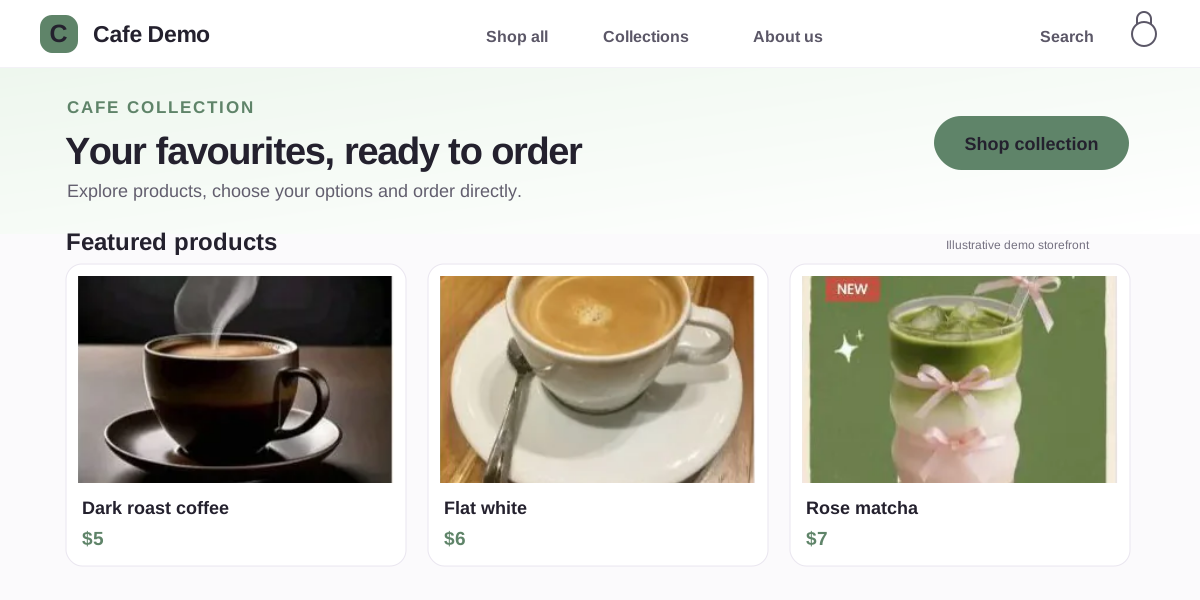
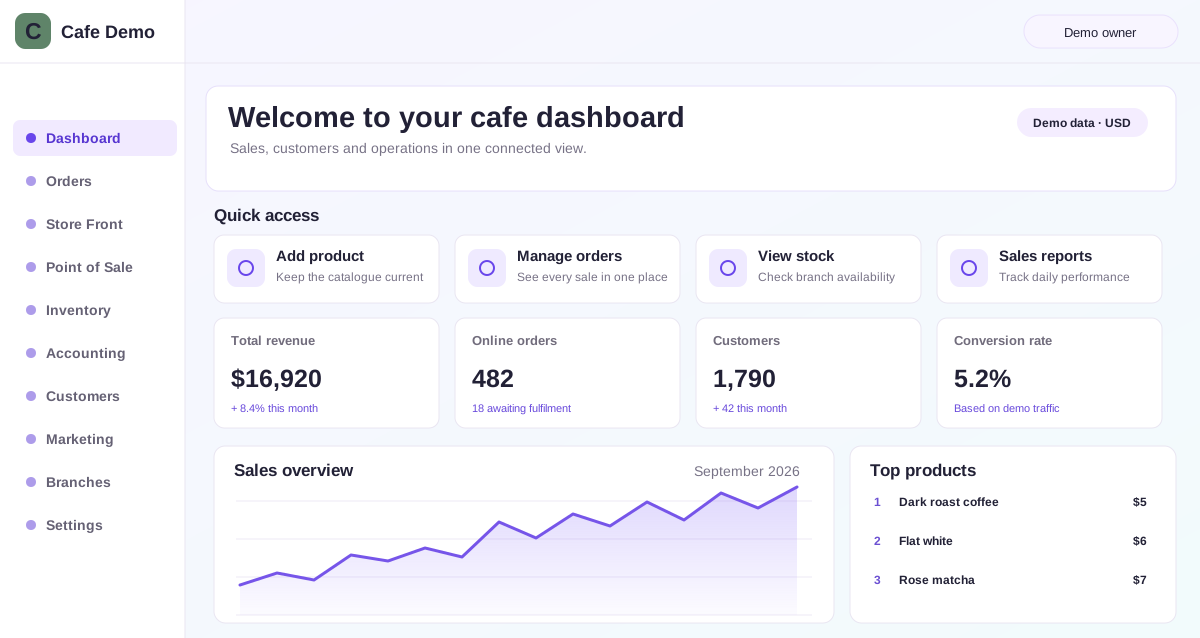
See Bloomlytix around your cafe workflow
Share a few details and we will arrange a focused walkthrough of the ecommerce and operating workflow.
- Tailored to your sales channels and day-to-day operation
- Clear plan, onboarding scope, and next steps
Cafe software works inside the complete Bloomlytix platform.
This is not a separately purchased cafe software product. When a paid Bloomlytix subscription is active, the core ecommerce and operating modules work together around the same catalog, customers, orders, branches, staff, payments, stock, fulfilment, delivery, cash, and reporting data for your cafe.
Every plan includes full support and a dedicated relationship manager. Plans differ only by included users, branches, and customer-app entitlement. Drivers count as users. Starter includes the branded website without a customer app, Growth adds Android, and Pro includes Android and iOS customer apps.
Sell coffee, tea, cold drinks, pastries, desserts, sandwiches, retail beans, and cafe add-ons without losing the order detail
Bloomlytix keeps customer choice useful to the staff, branch, stock, payment, pickup, and delivery workflows that follow the sale.
Products + collections
- Coffee, tea, cold drinks, pastries, desserts, and sandwiches
- Sizes, milk choices, flavours, extras, and configured modifiers
- Retail beans, merchandise, gift cards, and packaged products
- Seasonal menus, bundles, offers, and branch ranges
Options + order context
Keep sizes, milk choices, flavours, extras, preparation notes, pickup times, delivery slots, and add-ons connected to the sale rather than scattered through calls, chats, and paper notes.
- Customer, permitted recipient, and contact context
- Payment, branch, pickup, or delivery selection
- Special instructions visible to permitted staff
Stock + operational evidence
Track configured retail products, packaged goods, merchandise, cups, packaging, configured menu items, and approved add-ons with branch movements, supplier purchases, invoice attachments, sales, and owner reporting.
- Low-stock visibility and adjustment reasons
- Staff and branch accountability
- Sales, cash, purchase, and delivery context
Sell online, on mobile, at the counter, or through an assisted order
Website on your domain
Present the brand, products, collections, options, offers, payment methods, pickup, and delivery through a mobile-first storefront.
Point of Sale, manual orders + payment links
Add walk-in sales from mobile, tablet, or desktop, give owners real-time visibility, and continue relevant telephone, WhatsApp, custom, and remote-payment orders into fulfilment.
White-label customer Android + iOS apps
Eligible plans add branded customer apps with product browsing, accounts, wishlist, history, tracking, notifications, and quick reorder.
Evaluate the workflow you care about, then see how it joins the full platform
These pages explain distinct business needs. They do not represent separate module purchases.
Cafe Ecommerce Website
See how this capability uses the same Bloomlytix catalog, customer, order, branch, staff, payment, stock, fulfilment, delivery, and reporting data.
Explore Cafe Online Ordering SoftwareCafe POS Software
See how this capability uses the same Bloomlytix catalog, customer, order, branch, staff, payment, stock, fulfilment, delivery, and reporting data.
Explore Cafe POS SoftwareCafe Inventory Software
See how this capability uses the same Bloomlytix catalog, customer, order, branch, staff, payment, stock, fulfilment, delivery, and reporting data.
Explore Cafe Inventory SoftwareCafe Order Management Software
See how this capability uses the same Bloomlytix catalog, customer, order, branch, staff, payment, stock, fulfilment, delivery, and reporting data.
Explore Cafe Order Management SoftwareCafe Delivery Management Software
See how this capability uses the same Bloomlytix catalog, customer, order, branch, staff, payment, stock, fulfilment, delivery, and reporting data.
Explore Cafe Delivery Management SoftwareCafe Customer Mobile Apps
See how this capability uses the same Bloomlytix catalog, customer, order, branch, staff, payment, stock, fulfilment, delivery, and reporting data.
Explore Cafe Ordering AppsMove from customer choice to a completed, reportable order
- Capture the sale. The customer or staff creates an ecommerce, app, POS, manual, or payment-link order.
- Keep the detail. Items, configured modifiers, preparation notes, branch, payment, pickup time, or delivery details remain attached to the order.
- Send it to the right branch. Permitted staff receive the order with payment, timing, and preparation context.
- Complete pickup or delivery. The order continues through staff status, customer handoff, or assigned delivery.
- Close the reporting loop. Sales, products, customers, stock, purchases, cash, branches, staff, and delivery remain connected.
Connect direct customer channels to the branch doing the work
Cafe speed depends on clear product options, branch context, payment, preparation, and pickup or delivery timing. Bloomlytix keeps those details attached from the sale to the staff handoff.
- Shared catalog and customer channels
- Branch, staff, status, payment, and cash accountability
- Configured inventory, purchasing, pickup, and delivery
- Owner reporting across sales and operations
Confirm hospitality-specific service requirements
Bloomlytix supports ecommerce, Point of Sale on mobile, tablet, and desktop, configured modifiers, staff order statuses, pickup and delivery, retail stock, purchases, cash, and reports. Table service, reservations, kitchen display systems, recipe costing, ingredient depletion, tip distribution, and complex kitchen production require separate confirmation.
Compare scattered retail tools with the Bloomlytix platform
| Need | Disconnected tools | Bloomlytix |
|---|---|---|
| Product data | Separate website, app, and POS records | Shared catalog and business data across configured channels |
| Order detail | Options and instructions copied into chat | Items, configured modifiers, preparation notes, branch, payment, pickup time, or delivery details stay with the order |
| Preparation | Verbal tasks and manual status chasing | Branch, staff, statuses, notes, photos, and one timeline |
| Inventory | Stock and purchases updated separately | Configured branch stock, movements, suppliers, invoices, and sales context |
| Handoff | Pickup or delivery arranged in another tool | Order context continues into the configured completion workflow |
| Owner view | Sales totals without operational context | Products, customers, staff, branches, stock, purchases, cash, and delivery connect |
Questions about the complete Bloomlytix platform
Is Bloomlytix a collection of separate Cafe tools?
No. Bloomlytix is one connected ecommerce and operations SaaS platform. Core modules such as ecommerce, POS, staff fulfilment, inventory, purchases, cash tracking, delivery, and reporting open together with the subscription rather than being sold as unrelated products.
Can cafes sell online and in-store from the same catalog?
Yes. The branded website, eligible customer apps, and Point of Sale use shared Bloomlytix product and business data. Staff can add sales from mobile, tablet, or desktop, and owners can see new POS activity in real time. Online, app, POS, manual, and payment-link orders can continue into the same staff and reporting workflow.
Does Bloomlytix support multiple Cafe branches?
Yes. Branch products, sales, staff, configured stock, purchases, cash, orders, and delivery activity can be managed with central owner visibility. Included branch capacity depends on the selected plan.
Are branded Android and iOS apps available for cafes?
Yes. Starter includes the website without a customer app, Growth adds a white-label Android customer app, and Pro includes Android and iOS customer apps. Growth and Pro also have the stated app launch and onboarding fee.
What should a Cafe confirm before subscribing?
Bloomlytix supports ecommerce, Point of Sale on mobile, tablet, and desktop, configured modifiers, staff order statuses, pickup and delivery, retail stock, purchases, cash, and reports. Table service, reservations, kitchen display systems, recipe costing, ingredient depletion, tip distribution, and complex kitchen production require separate confirmation.
See the complete Bloomlytix workflow for your cafe
We will map your sales channels, products, branches, team roles, payments, inventory, fulfilment, pickup, delivery, and reporting requirements before recommending a plan.