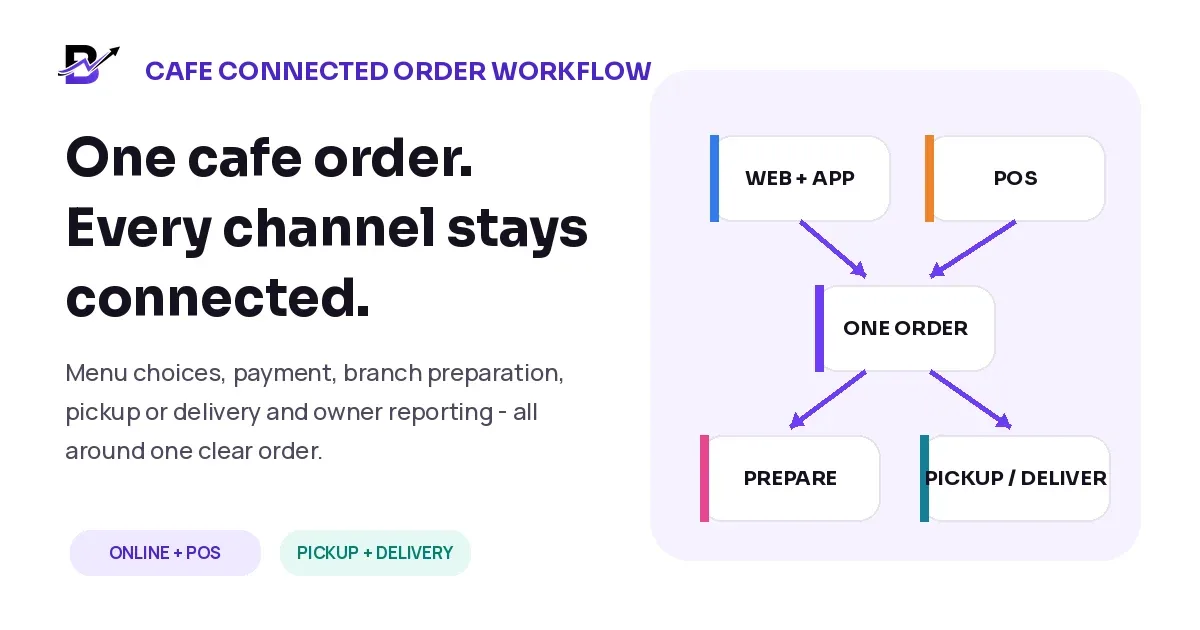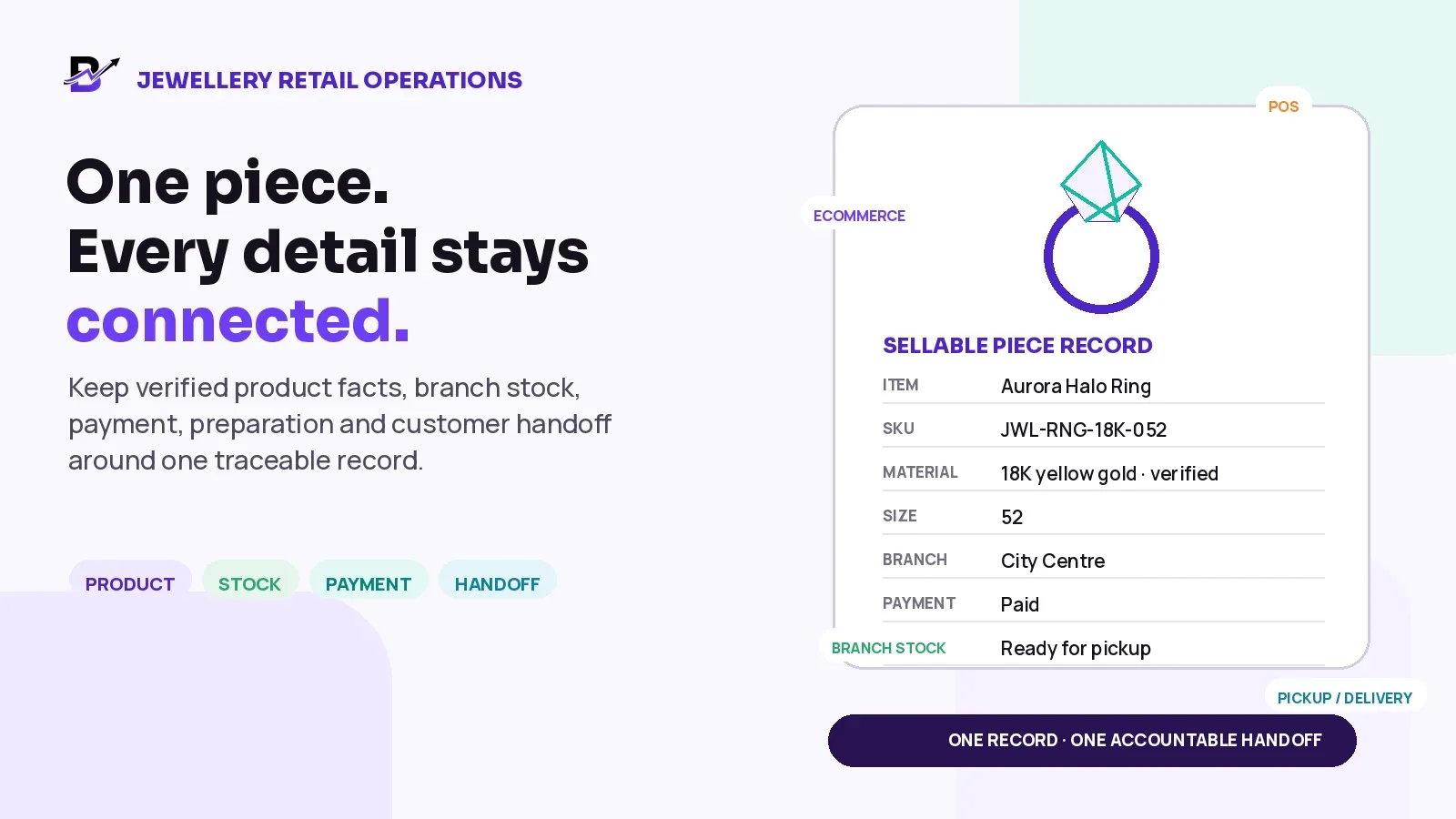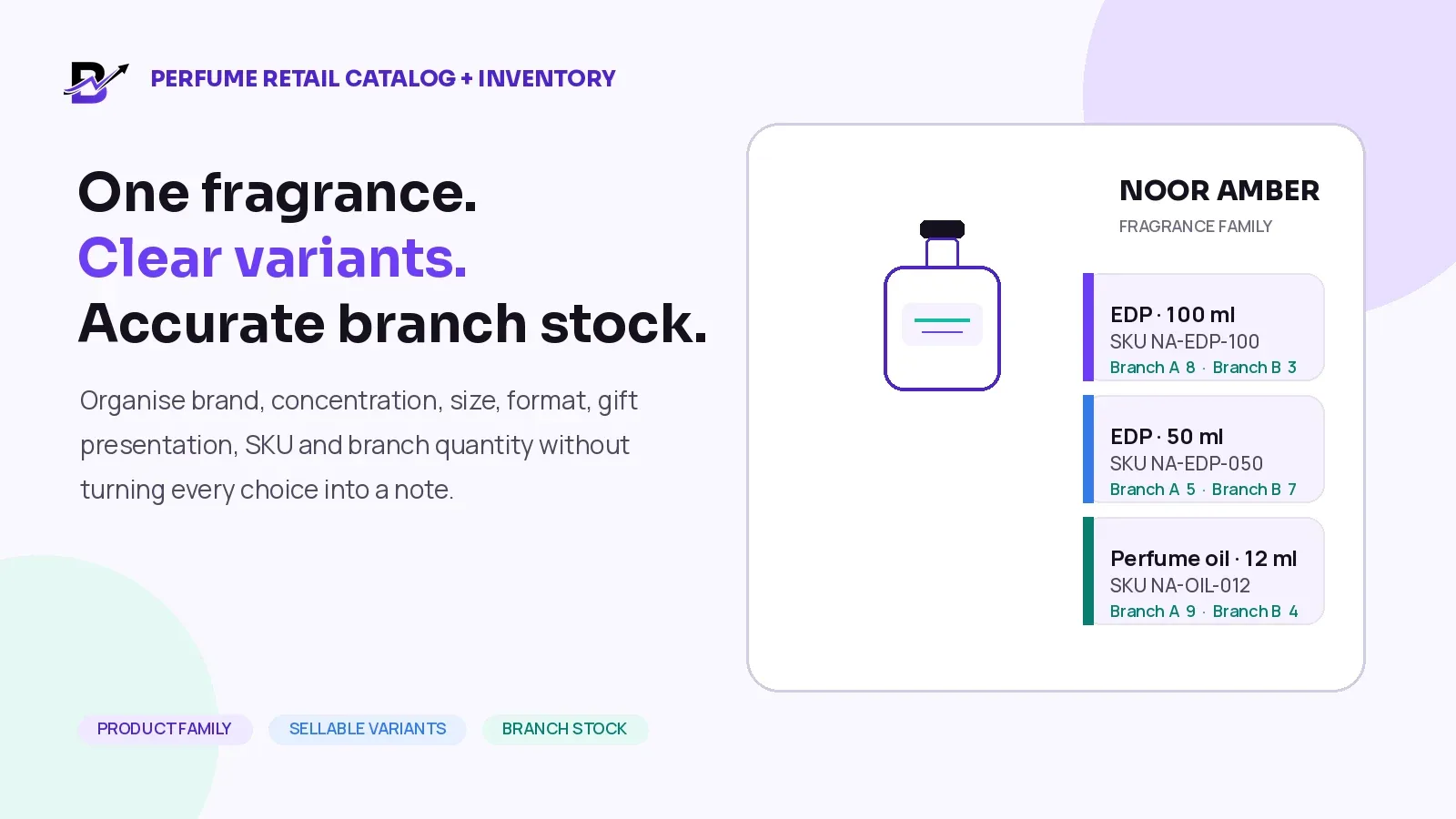
Your customer sees one simple purchase. Behind that purchase, your team may need to confirm payment, prepare the product, update stock, assign the right branch, arrange pickup or delivery, and record the final result. When every step lives in a different tool, a simple order can become surprisingly difficult to control.
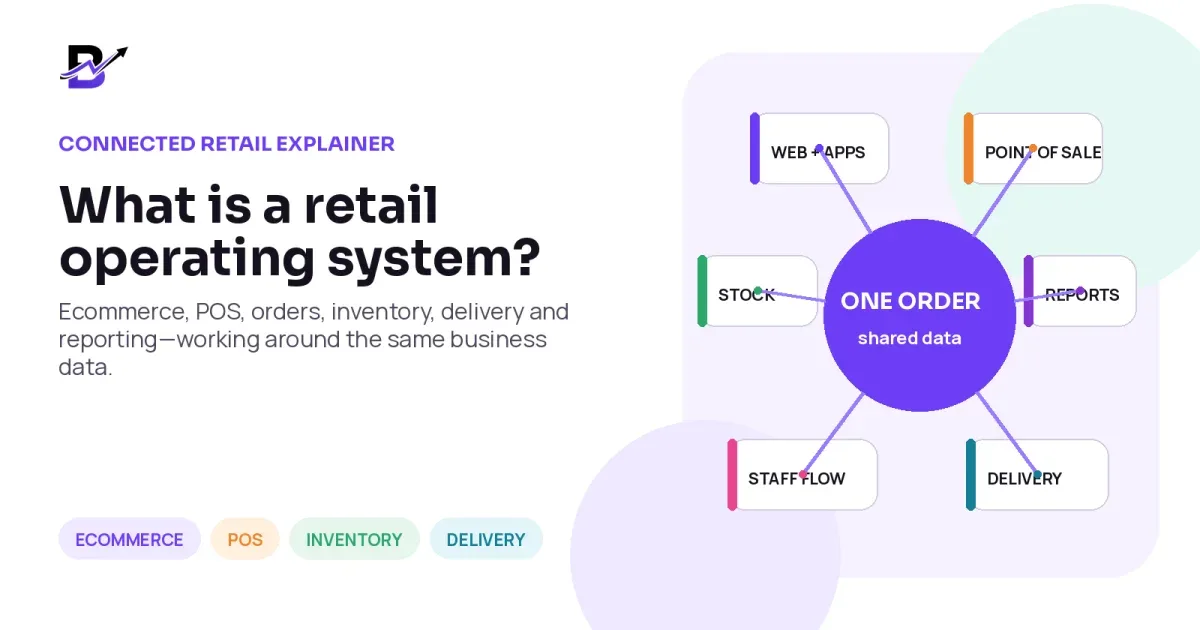
Direct Answer: A retail operating system is a connected software platform that brings a retailer’s selling channels and daily operations into one shared workflow. It can connect ecommerce, customer apps, Point of Sale (POS), orders, staff fulfilment, inventory, payments, delivery and reporting around the same product, customer, branch and order data.
The term “retail operating system” is not a formal software standard. Different providers may include different modules and use the label in different ways. The useful question is not the label. The useful question is: how much of your real business workflow stays connected from the first sale to the final report?
In this guide
What a retail operating system actually does
How ecommerce, POS, inventory, staff and delivery work together
How it differs from a website, POS or ERP
The signs that disconnected tools are slowing your business
The questions to ask before choosing a platform
Why a website or POS alone may not be enough
An ecommerce website is designed to help customers discover products and place orders. A POS is designed to help staff complete in-store sales. Both are important, but neither one automatically covers everything that happens before and after a sale.
After checkout, the business still needs answers. Which branch will prepare the order? Has the payment cleared? Are the selected items available? Did the customer add a message or special instruction? Who is responsible for preparation? Is the order ready for pickup or delivery? What happened to the stock, cash and delivery record?
When these answers are stored in email, chat, paper notes, spreadsheets and separate software, staff repeat work and the owner sees only part of the story. A connected retail system aims to keep the sale and the work behind it in one traceable flow.
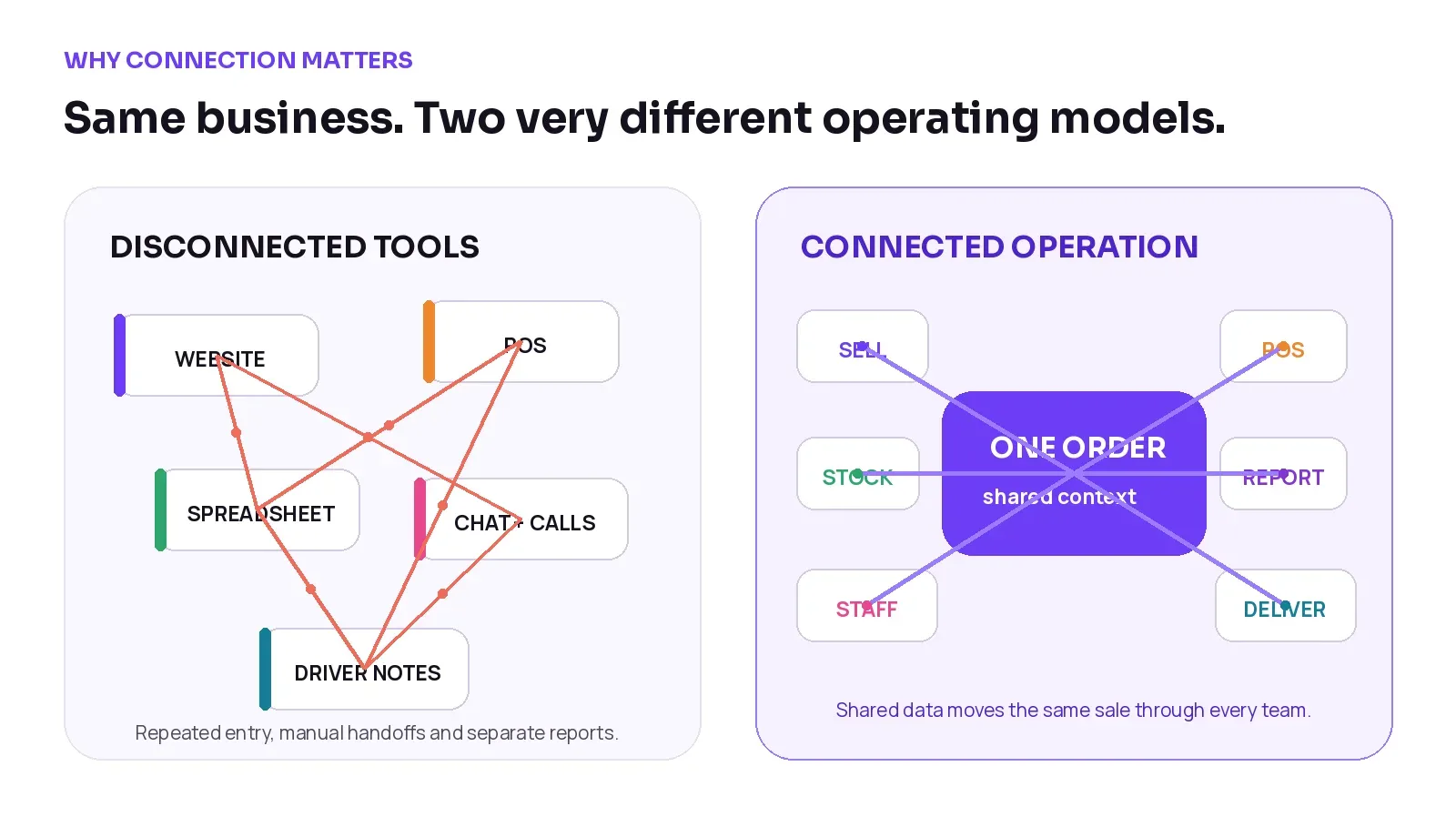
Figure 1. The same business can feel very different depending on whether each handoff is manual or connected.
Business moment | Disconnected setup | Connected operation |
|---|---|---|
New product | The item is entered separately on the website, POS and other channels. | One approved product record supports the configured channels. |
Online order | Staff receive a notification, then copy details into another workflow. | The order enters the staff queue with payment, customer and delivery context. |
Stock change | One system reduces stock while another still shows the old quantity. | Supported sales and adjustments update the same inventory view. |
Delivery handoff | The address and notes are copied into chat or sent by phone. | The assigned driver receives the permitted order, timing and address context. |
Owner reporting | Sales, cash, stock and delivery reports must be combined manually. | The owner reviews connected operational reports from the same platform. |
How a retail operating system works
The main idea is shared business data. A strong system does not simply place several dashboards under one login. It keeps the important records connected so that one action can support the next step.
The most important shared records usually include:
Products and options, including price, size, colour, add-ons and availability
Customers, recipients, addresses and order history
Orders, payment status, branch, timing, notes and special instructions
Inventory movements, purchases, adjustments, transfers and wastage
Staff responsibilities, preparation status and order timeline
Pickup or delivery status, driver assignment and proof
Sales, product, branch, cash, stock and delivery reports
When these records are connected, the business does not need to recreate the same sale at every handoff. The order moves forward while each person sees the information needed for their role.
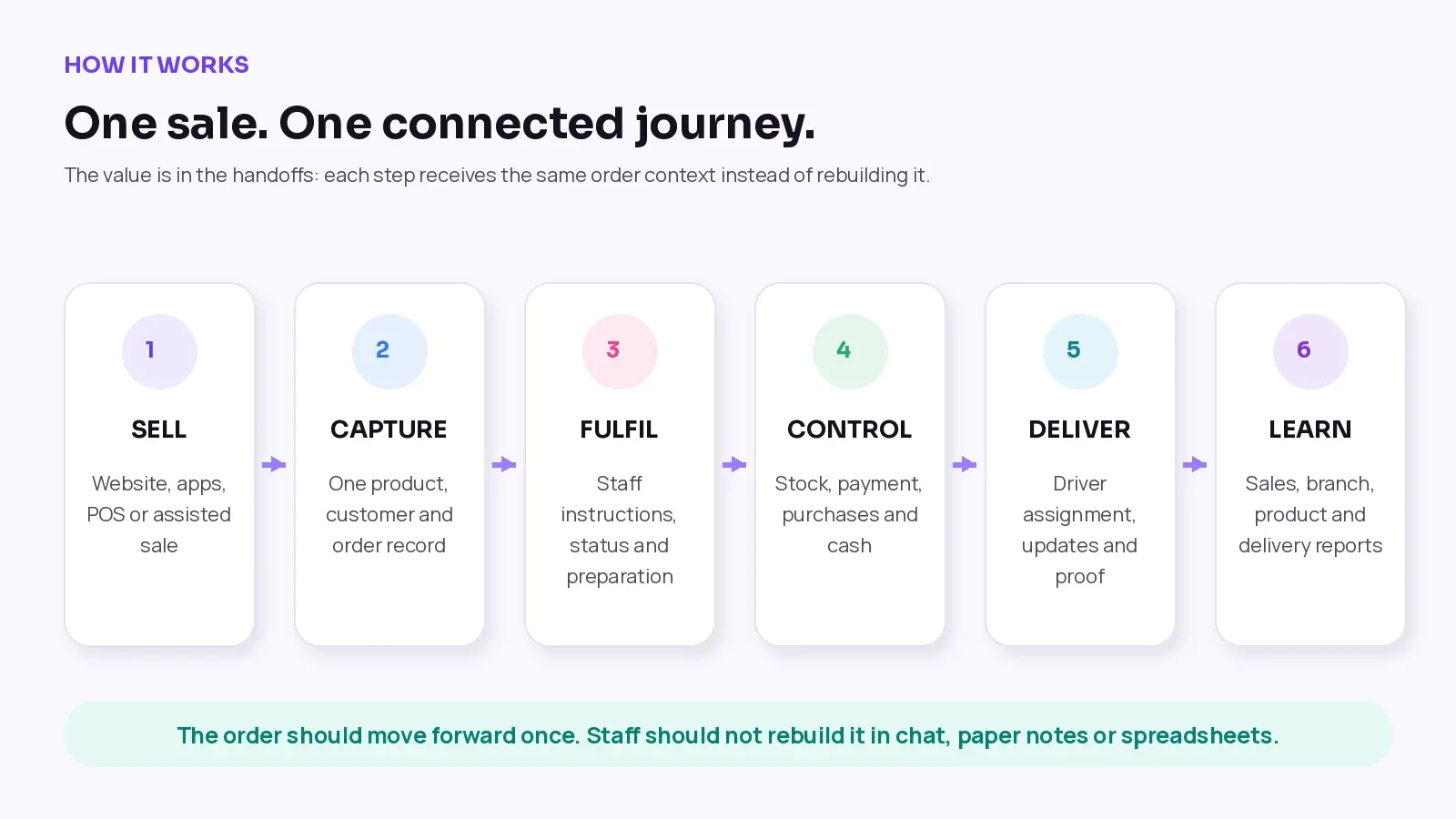
Figure 2. A connected journey keeps the same order context moving from the customer channel to staff, stock, delivery and reporting.
The core parts of a retail operating system
There is no universal module list, but most connected retail platforms cover several of the following areas. The depth of each area can vary, so buyers should test the real workflow rather than rely only on feature names.
Capability | What it handles | Why the connection matters |
|---|---|---|
Ecommerce + customer apps | Product discovery, cart, checkout, customer accounts, offers, delivery choices and order tracking. | The customer’s choices enter the same order used by staff and delivery. |
POS + assisted sales | Walk-in sales, custom lines, discounts, payment methods, receipts and branch activity. | Online and in-store sales can use shared products, customers and reports. |
Order + staff fulfilment | Order intake, preparation tasks, instructions, status changes, photos, notes and timeline. | The team works from the full order instead of a chat screenshot or paper note. |
Inventory + purchasing | Branch stock, adjustments, transfers, low-stock visibility, suppliers and purchase records. | Sales and stock decisions can be reviewed in the same operating context. |
Payments + cash | Checkout payments, payment links, payment status, cash received, expenses and cash in hand. | The payment or cash record stays tied to the related sale or staff activity. |
Pickup + delivery | Zones, charges, time slots, assignment, navigation, status, exceptions and proof. | The handoff continues with the customer, address, timing and order details. |
Reporting + access | Sales, products, branches, staff, inventory, cash and delivery reporting with role-based access. | Owners see the whole operation while each user sees an appropriate workspace. |
1. Ecommerce and customer channels
The customer-facing layer may include a branded website, Android app, iOS app or other configured sales channel. A connected setup uses the same approved catalogue, pricing, offers, customer account and delivery logic wherever possible.
Connection matters because the order should arrive with the choices the customer already made: product options, add-ons, recipient details, notes, delivery date, time slot and payment status.
2. Point of Sale and assisted sales
A Point of Sale supports purchases made in a physical shop, kiosk, pop-up or event. It can also support telephone, WhatsApp or custom orders when staff need to create the sale on behalf of the customer.
The real value appears when POS activity does not sit in a separate world. Owners should be able to see branch sales, staff activity, payment method and stock impact alongside online business data.
3. Order management and staff fulfilment
Order management turns a sale into a clear set of actions. Staff need the full product detail, payment status, customer or recipient information, timing, notes and special instructions. They also need simple statuses such as new, accepted, preparing, ready, dispatched, delivered, cancelled or refunded.
For customised or occasion-led retail, the small details matter. A greeting message, colour choice, cake note, packaging request or approved personalisation instruction should remain attached to the order instead of being copied again.
4. Inventory, purchases and stock movement
Connected inventory helps the business understand what is available, what moved, what was purchased and why a quantity changed. Depending on the platform, this may include ready products, add-ons, packaging, branch transfers, damages, wastage and supplier purchases.
Inventory depth is important. A simple specialty retailer may need product and branch stock, while a manufacturer may need recipes, bills of materials, batch control or warehouse automation. Confirm the level your business actually requires.
5. Payments and cash control
Retail payments may come from online checkout, a payment link, the POS, cash on delivery, bank transfer or another configured method. The platform should show which order the payment belongs to and what still needs attention.
Cash control is related but different. It may include staff cash received, expenses, receipt evidence and cash in hand. This can improve visibility, but it should not be confused with a complete accounting or general-ledger system unless the software clearly provides one.
6. Pickup, dispatch and delivery
For delivery-first retail, the delivery promise begins before the driver receives the order. The business may need zones, charges, minimum order rules, dates, time slots, branch preparation and a clear ready-for-dispatch step.
The driver should receive the permitted recipient, address, timing and navigation details, then record the result. Depending on the platform, proof may include a photo, recipient name, signature or note. Advanced route optimisation, fleet telematics and capacity planning are separate capabilities that should be confirmed rather than assumed.
7. Reporting, roles and owner visibility
A connected system should give the owner a useful view of sales, products, branches, staff, inventory, cash and delivery. At the same time, role-based access should keep sensitive data and complex settings away from people who do not need them.
Example: one same-day gift order from checkout to delivery
Imagine a customer orders a gift box at 10:15 a.m. for delivery between 3:00 and 5:00 p.m. They choose a size, add chocolates, write a greeting, enter the recipient’s address and pay online.
The customer places the order. The selected product, add-ons, sender, recipient, message, delivery window and payment choice are captured together.
The system creates one order record. The order receives an identifier, payment status, branch context and complete timeline.
The right team sees the work. Permitted staff receive the order in their queue with the information needed to prepare it.
Preparation is recorded. Staff accept the order, follow the instructions, add notes or photos where needed, and mark it ready.
Stock and payment stay connected. Supported stock movements and payment status remain attached to the sale instead of being checked in separate places.
Delivery receives a complete handoff. A driver is assigned with the permitted address, recipient, timing, navigation and order notes.
The delivery result is recorded. The driver updates the status and adds configured proof or an exception reason.
The owner sees the outcome. Sales, product, branch, staff, stock, cash and delivery reporting can be reviewed together.
The Main Principle: The order should move forward once. It should not be rebuilt in a spreadsheet, copied into a chat, written on paper and then entered again for reporting.
Retail operating system vs ecommerce website, POS and ERP
These categories can overlap. A modern POS may include ecommerce and inventory. An ERP may include retail modules. A retail operating system may include finance or purchasing features. The table below explains the usual centre of gravity, not a strict industry rule.
Software type | Primary job | Strongest when | Common question to ask |
|---|---|---|---|
Ecommerce website | Help customers browse, order and pay online. | The immediate need is a branded online sales channel. | What happens to the order after checkout? |
Point of Sale | Process in-person or staff-assisted sales. | The immediate need is fast counter selling and payment capture. | Does it share products, customers, stock and orders with ecommerce? |
ERP | Manage broad business functions such as finance, procurement, inventory, HR or manufacturing. | The organisation needs wide back-office control and can support configuration or implementation. | How well does it handle the daily retail and delivery workflow without extra layers? |
Retail operating system | Connect selling channels with retail operations and fulfilment. | The business needs one flow across ecommerce, POS, orders, staff, stock, payments, delivery and reporting. | Which parts are truly native, connected and suitable for our industry? |
Retail management system and retail operating system are also used in overlapping ways. Do not choose software because of the category name alone. Choose it because the real work, data and people in your business are connected at the right depth.
The practical benefits of connected retail operations
Benefit | What it looks like in daily work |
|---|---|
Less repeated entry | Products, customers and orders do not need to be rebuilt for every team or channel. |
Clearer fulfilment | Staff can see the payment, timing, instructions and status on one order timeline. |
More useful stock visibility | Supported sales, purchases and adjustments can be reviewed by product and branch. |
Faster customer answers | Customer service can check progress without calling every shop or driver. |
Better accountability | The business can see who accepted, prepared, assigned or completed each step. |
Easier branch growth | A repeatable workflow can be used across branches while the owner keeps central visibility. |
Stronger decisions | Reports combine sales with operational context instead of showing only isolated totals. |
Important Reality: Software does not fix a poorly defined process by itself. A successful launch still needs clean product data, clear staff roles, agreed status rules, training, review and ongoing ownership.
Signs your business may have outgrown disconnected tools
A retail operating system becomes more relevant when the cost of handoffs is growing. Look for these practical signs:
Staff copy orders from email, chat or social media into another system.
Your website and POS have different products, prices or customer records.
Stock looks different depending on which channel or branch you check.
Customer service must call the shop or driver to answer a basic status question.
Messages, add-ons or special instructions are sometimes missed during preparation.
Cash received, expenses and proof are spread across chats, paper and spreadsheets.
The owner waits for manual summaries to understand branch or delivery performance.
Every new branch or sales channel creates another separate tool and another report.
One sign may be manageable. Several signs usually mean the business should map its current workflow and compare the cost of continuing with manual workarounds against the cost of a connected platform.
How to choose the right retail operating system
Do not start with the longest feature list. Start with one real order from your own business and ask the vendor to show what happens at every step.
Question | What to verify |
|---|---|
1. Which sales channels are supported? | Confirm website, customer apps, POS, manual orders, payment links, marketplaces or other channels you actually use. |
2. Is there one product catalogue? | Check products, variants, add-ons, pricing, offers and branch availability across channels. |
3. How does an order move through staff? | Ask to see payment status, instructions, tasks, photos, notes, exceptions and the full timeline. |
4. How deep is inventory management? | Test branch stock, adjustments, transfers, wastage, purchases, returns and any industry-specific requirement. |
5. Which payments work in your country? | Gateway availability, Apple Pay, buy-now-pay-later, payment links and settlement rules may depend on eligibility and configuration. |
6. What does delivery management include? | Confirm zones, fees, slots, assignment, navigation, status, proof and whether advanced routing is included or separate. |
7. Can each person see the right workspace? | Review permissions for owners, managers, shop staff, customer service and drivers. |
8. What reports are available? | Ask for sales, product, branch, stock, cash, staff and delivery views using your own decision questions. |
9. What is required for launch? | Clarify product and customer migration, integrations, branding, apps, gateways, testing, training and support. |
10. What is the full cost and scope? | Include subscription, setup, extra users, branches, app accounts, gateways, messaging, hardware, integrations and custom work. |
Best Demo Test: Bring one normal order, one custom order and one exception—such as a failed payment, unavailable item, rescheduled delivery or refund. A good demonstration should show the real workflow, not only the dashboard.
Where Bloomlytix fits
Bloomlytix is an AI-powered ecommerce and retail operating system designed for specialty retail and delivery-first businesses. It connects a branded ecommerce website, customer apps according to plan, POS on mobile, tablet and desktop, order fulfilment, staff tools, inventory, purchases, payment links, cash tracking, delivery, reports and AI-assisted product and content tools.
The platform is built around shared catalogue, customer, order, branch, staff, payment, stock, fulfilment, delivery and reporting data. That makes it relevant to florists, gifting brands, bakeries and cake shops, perfume and jewellery stores, cafés and other retailers that sell through more than one channel or manage detailed local delivery.
The exact launch scope can depend on the selected plan, catalogue, branches, customer apps, data migration, payment gateways, third-party services and country requirements. A tailored walkthrough should confirm those details before subscription or onboarding.
Frequently asked questions
What is a retail operating system?
A retail operating system is a connected platform that brings retail sales channels and daily operations into one workflow. It may connect ecommerce, POS, orders, staff, inventory, payments, delivery and reporting around shared business data.
Is a retail operating system the same as a POS?
No. A POS mainly supports in-person or staff-assisted sales. A retail operating system has a wider role and connects the sale with order fulfilment, stock, payments, delivery, reporting and other operations. Some modern POS platforms include many of these functions, so the categories can overlap.
Is a retail operating system the same as an ERP?
Not exactly. An ERP usually covers broad back-office functions across a business and may include finance, procurement, HR, manufacturing or inventory. A retail operating system is centred on the daily retail journey and the connection between sales channels and operations. A platform may include features from both categories.
Does a small retailer need a retail operating system?
Not every small shop needs one immediately. A simple website or POS may be enough when order volume, channels and staff are limited. The need grows when the business uses several sales channels, handles detailed orders, manages branches or delivery, or spends too much time copying information between tools.
Can a retail operating system connect online and in-store sales?
It can when the platform supports shared products, customers, orders, payments, inventory and reporting across ecommerce and POS. Buyers should ask the vendor to demonstrate the exact connection, including returns, cancellations, stock changes and branch rules.
Can it manage same-day delivery?
Some retail operating systems include delivery zones, fees, time slots, driver assignment, status updates and proof of delivery. Others depend on a separate delivery integration. Confirm whether you need basic dispatch, advanced route optimisation, fleet management or all three.
How long does implementation take?
There is no single answer. Timing depends on the catalogue, data quality, branches, users, integrations, payment gateways, customer apps, testing, training and custom requirements. A clear launch checklist should be agreed before work begins.
Customer sees one order. Your business should too.
A retail operating system is valuable because it connects the work behind the sale. It gives ecommerce, POS, staff, stock, payments, delivery and reporting a shared operating context instead of forcing each team to rebuild the same information.
The best platform is not the one with the most impressive list of modules. It is the one that fits your real workflow, keeps important data connected, gives each person a clear role and leaves the owner with a reliable view of the business.
Related Bloomlytix pages: Complete platform · Florist software · Gift shop software · Bakery software · AI Product Launch · Pricing