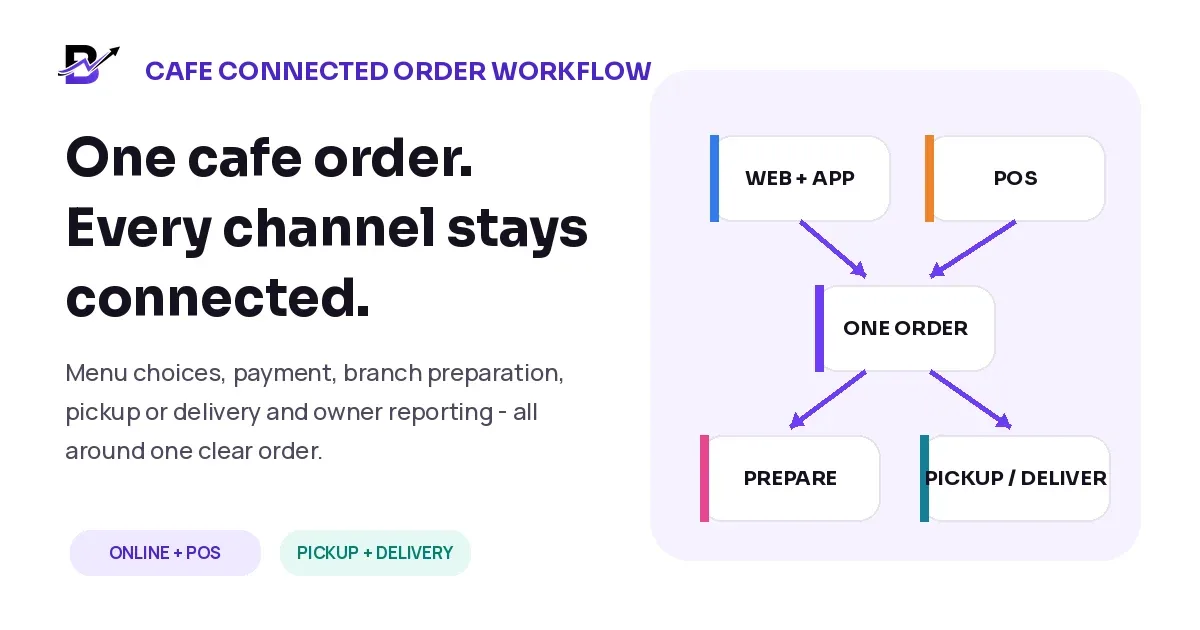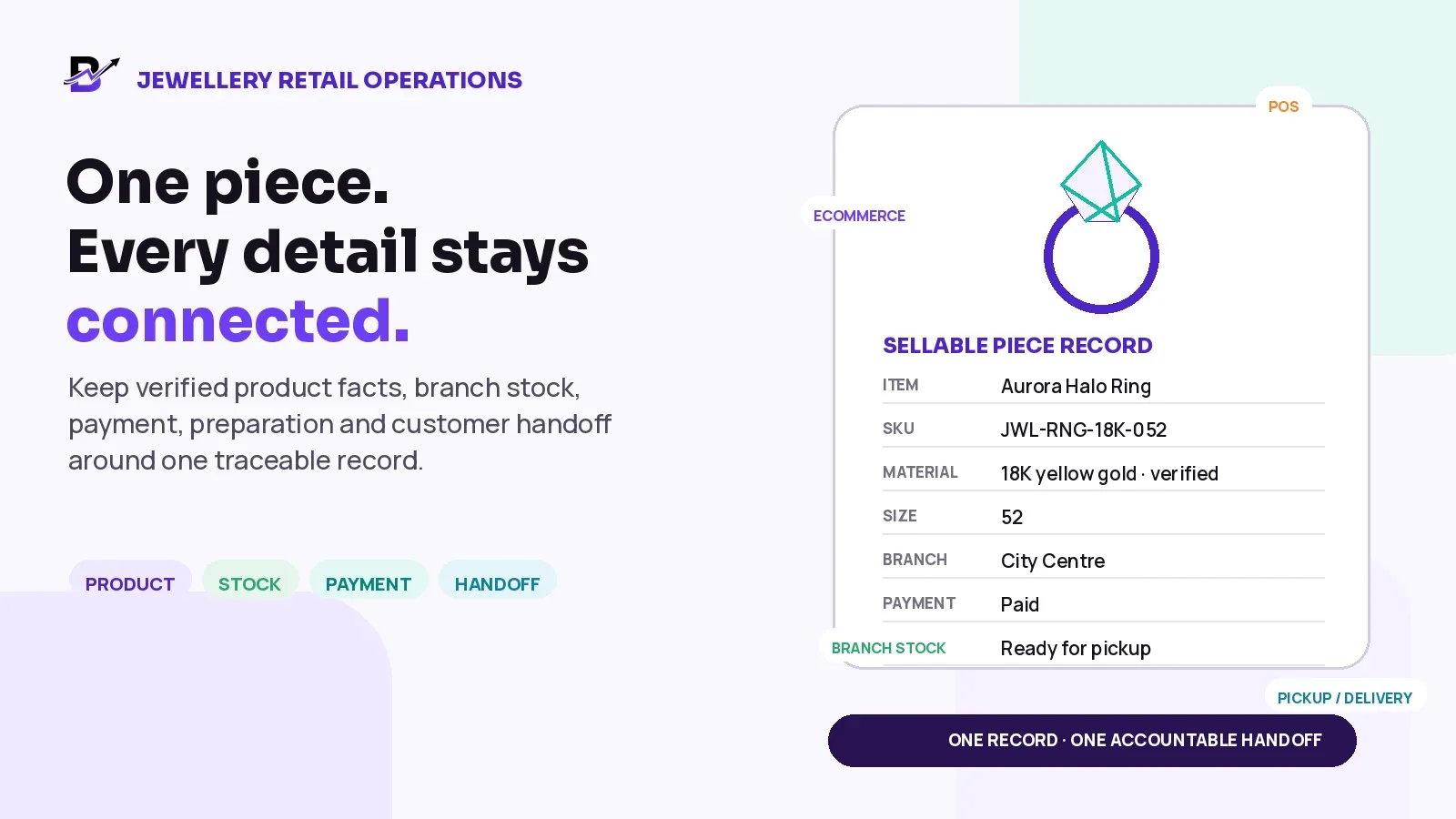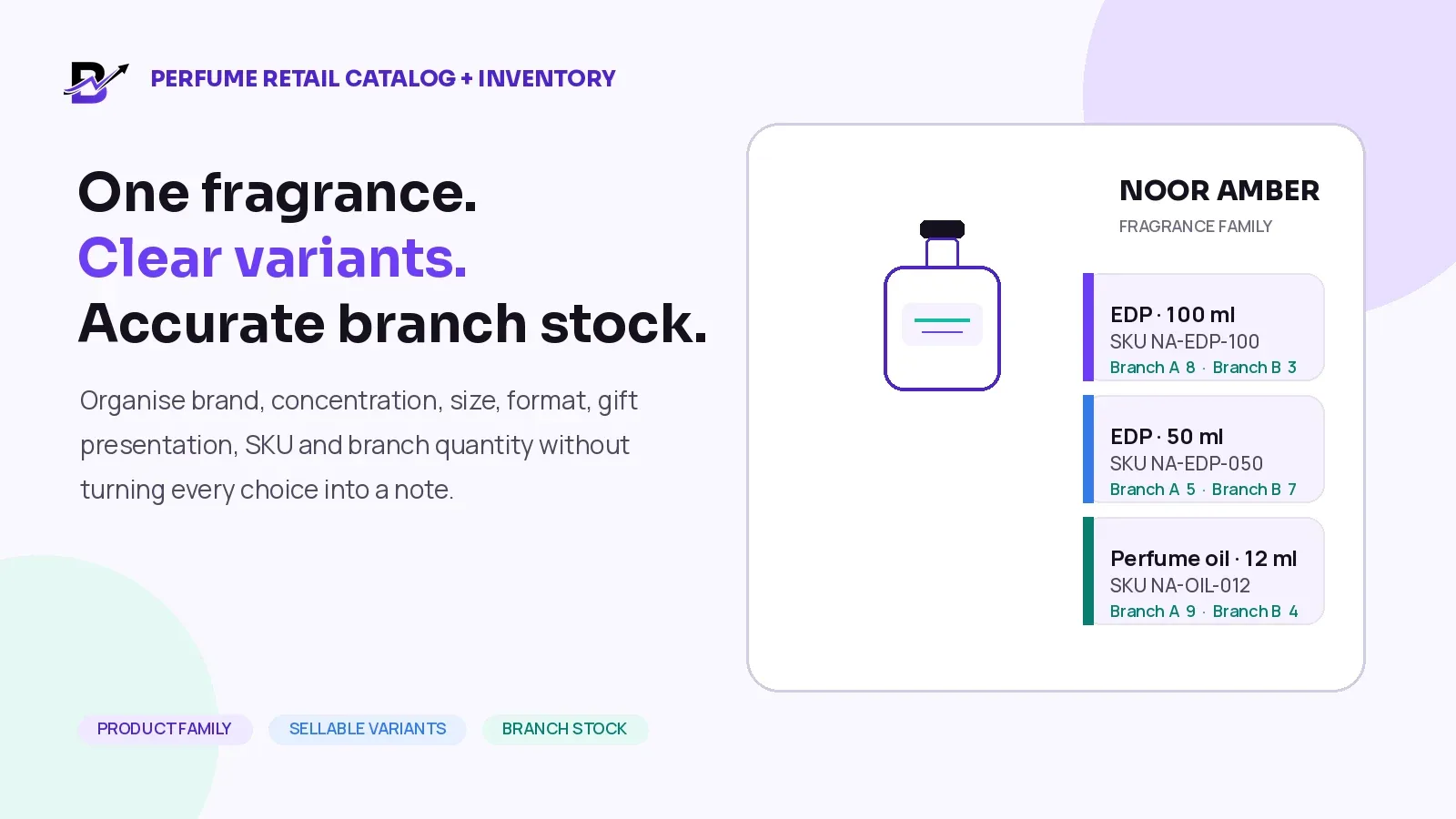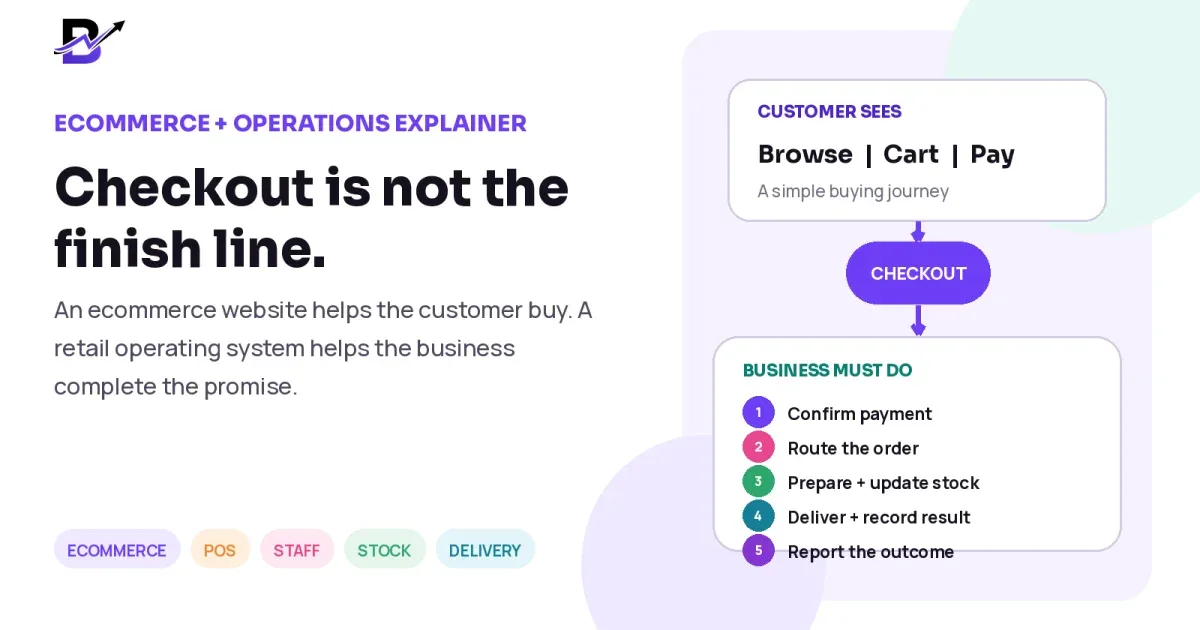
A customer visits your website, chooses a product, adds delivery details and pays. From the customer’s point of view, the job is almost finished. For your business, the real work may only be starting.
Someone still needs to confirm the payment, send the order to the correct branch, prepare the item, check special instructions, update stock, arrange pickup or delivery, handle any exception and record the final result. The difference between a smooth order and a stressful one often appears after checkout.
Direct answer. An ecommerce website helps customers browse products, place orders and pay online. A retail operating system goes further: it connects that sale to POS, staff fulfilment, inventory, payments, pickup or delivery, cash and reporting. A website can be enough for a simple online shop, but businesses with physical branches, custom orders, same-day delivery or several sales channels usually need a stronger operational layer after checkout.
The labels are not strict software standards. Modern ecommerce platforms can include POS, inventory, fulfilment and delivery tools, while retail systems can include a full storefront. The useful question is not what the vendor calls the product. It is whether the customer journey and the daily business workflow stay connected.
The simple difference
An ecommerce website is mainly the customer-facing sales experience. It helps people discover products, compare choices, add items to a cart, enter their details, choose delivery or pickup and complete payment.
A retail operating system includes that customer experience or connects to it, then continues the order through the work behind the sale. It gives the owner, manager, shop staff, customer service team and delivery team a shared operating context.
Question | Ecommerce website | Retail operating system |
|---|---|---|
Main focus | Help the customer browse, order and pay. | Connect the sale to the people, stock, payments, fulfilment, delivery and reports behind it. |
Primary users | Customers and the ecommerce team. | Customers, owners, managers, POS staff, fulfilment staff, drivers and support teams. |
Success moment | The order is placed successfully. | The order is completed accurately and the business outcome is visible. |
Typical data | Products, content, cart, checkout, customer details and online payments. | Shared products, orders, branches, staff, stock, payment status, delivery, cash and performance data. |
Important distinction. A connected system is not simply several dashboards under one login. The important records—such as products, customers, orders, payment status, stock and delivery—must actually move together.
What an ecommerce website does well
A good ecommerce website can be one of the most valuable parts of a retail business. It gives the brand a direct sales channel and allows customers to shop without calling or waiting for a reply.
Product discovery
Categories, search, filters, product pages, images, descriptions, sizes, colours, options, add-ons and related items help the customer understand what is available.
Brand presentation
The business can control its domain, visual style, content, offers, seasonal landing pages and customer experience.
Cart and checkout
The site can capture the product, customer, recipient, address, notes, delivery choice, coupon and payment details needed to create the order.
Customer self-service
Accounts, saved addresses, order history, tracking, wishlists and repeat ordering can reduce simple customer-service work.
Organic and campaign growth
Product, category, landing and blog pages can support search visibility, paid campaigns, email and social traffic.
For a small business with simple products, one location, low order volume and straightforward fulfilment, a strong website may be enough. The business can handle the remaining work with a small team and a clear manual process.
What happens after checkout?
Checkout creates the sale, but the business still needs to turn that sale into a completed order. The exact steps differ by industry, yet most physical-product retailers face several of the following handoffs.
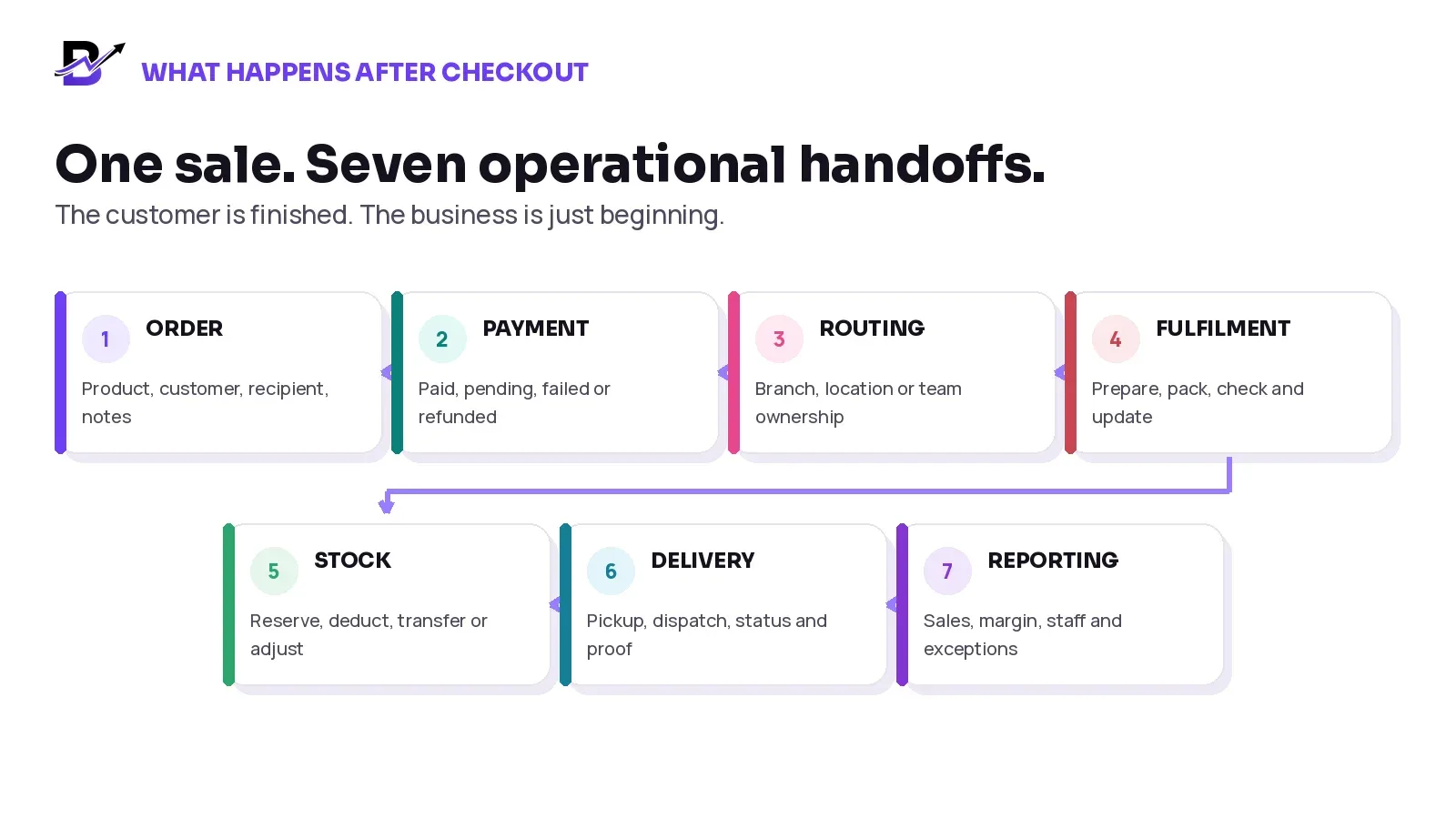
The customer may see one confirmation page, while the business must manage several connected decisions behind it.
Create a complete order record. The order should carry the selected product, options, add-ons, customer or recipient, address, date, time, notes and other approved details. Staff should not need to reconstruct it from an email or screenshot.
Confirm the payment state. Paid, pending, failed, partially paid, refunded and cash-on-delivery orders may require different actions. The payment state should remain attached to the same order.
Route the order to the right owner. A location, branch or team needs responsibility for preparation. Multi-branch businesses may also need to consider stock, distance, workload or the customer’s chosen pickup point.
Prepare, check and record progress. Staff need clear product details, special instructions, timing and status steps. Custom work may also require notes, photos, approvals, printed messages or a final quality check.
Update stock and purchases. The business may need to reserve or deduct finished products, add-ons or packaging, move stock between branches, record wastage or create a purchase requirement.
Complete pickup or delivery. The order needs the correct handoff: customer pickup, internal driver, courier or another delivery method. The result may include status updates, recipient details, notes or proof.
Make the outcome visible. Owners and managers need the order to appear in sales, payment, branch, product, staff, stock, cash and delivery reporting without rebuilding the story in a spreadsheet.
Where a website-centred setup becomes difficult
A website-centred setup becomes harder when the order leaves the storefront and enters several separate tools. The website may send an email, but payment is checked in one portal, staff work from a chat, stock lives in a spreadsheet, the driver receives the address by phone and the owner waits for a manual report.
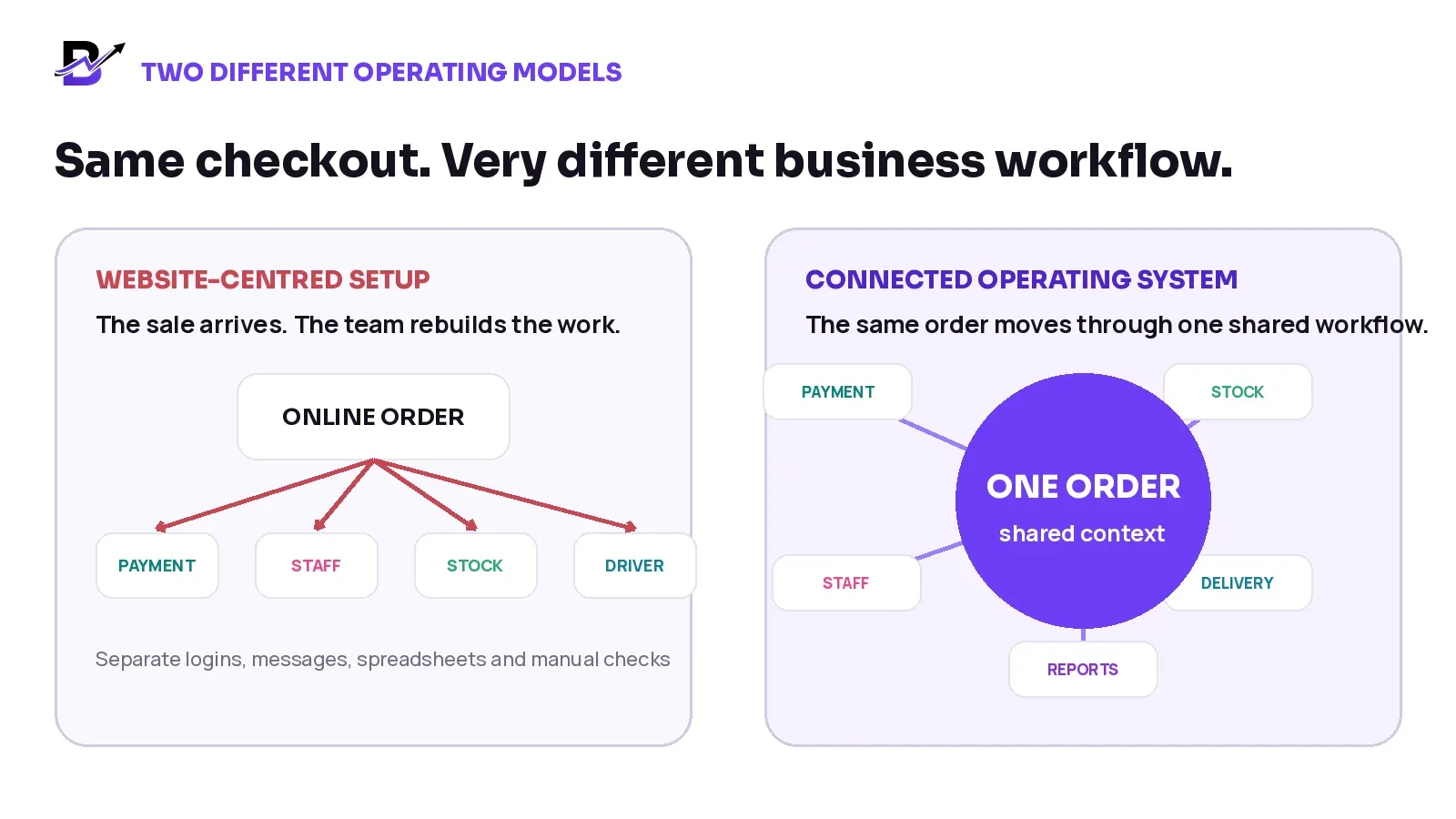
The main difference is not the number of screens. It is whether the same order context survives every handoff.
Business moment | Website-centred setup | Connected operation |
|---|---|---|
Product update | The item may be changed separately in the website, POS and other sales channels. | One approved product record can support the configured channels and teams. |
New online order | Staff receive an email or notification, then recreate tasks elsewhere. | The order enters a fulfilment queue with payment, customer and timing context. |
Walk-in sale | The POS may hold a separate customer, product and stock record. | Online and assisted sales can use shared records and reporting. |
Special instruction | The note may be copied into chat or written on paper. | The instruction stays visible on the order during preparation and handoff. |
Stock change | One system reduces stock while another still shows the old quantity. | Supported sales, purchases, transfers and adjustments update the shared stock view. |
Delivery question | Customer service calls the shop or driver for an answer. | Permitted users can see the current order and delivery status. |
Owner reporting | Online sales, counter sales, cash and delivery are combined manually. | The owner can review connected operational reports from the same data layer. |
What a retail operating system adds
A retail operating system is designed around the complete business journey, not only the digital storefront. The exact modules vary, but the value normally comes from connection across several operational areas.
Capability | What the connection changes |
|---|---|
Shared catalogue | Products, prices, options, add-ons and approved content can support ecommerce, customer apps, POS and staff workflows. |
Online + in-store sales | Ecommerce orders and walk-in or assisted sales can appear in one order and reporting environment. |
Order fulfilment | Staff receive the details, timing, payment state, tasks, notes, photos and status steps needed to complete the order. |
Inventory + purchasing | Sales, purchases, transfers, corrections, damage and wastage can be reviewed by product and branch where supported. |
Payments + cash | Online checkout, payment links, POS methods, manual settlements and staff cash activity can be recorded against the right context. |
Pickup + delivery | Zones, dates, time slots, driver assignment, status, exceptions and proof can continue from the order. |
Roles + permissions | Owners, managers, staff and drivers can receive the access they need without exposing every business setting. |
Reporting | Sales, products, branches, staff, stock, purchases, cash and delivery can be analysed without recreating the data. |
The goal is not to automate every decision. The goal is to reduce unnecessary copying, keep important details attached to the order and make responsibility clear.
Example: one scheduled gift order
Imagine a customer orders a gift box at 10:00 a.m. for delivery between 4:00 and 6:00 p.m. They choose a premium size, add chocolates and balloons, write a greeting message, enter the recipient’s address and pay online.
Stage | What the business needs |
|---|---|
Checkout | Product, size, add-ons, sender, recipient, greeting, address, delivery slot and payment are captured correctly. |
Order review | The system confirms the payment state and sends the order to the correct branch or team. |
Preparation | Staff see the complete instructions, prepare the gift, print or check the message and update progress. |
Stock | The selected add-ons and relevant packaging are reduced or adjusted according to the configured stock process. |
Dispatch | A driver receives the permitted recipient, address, timing and navigation details. |
Delivery | The driver records delivered, failed, returned or rescheduled status and adds configured proof. |
Reporting | The owner can review the revenue, product, branch, staff, payment, stock and delivery outcome. |
In a disconnected setup, each stage may require a message, copy-and-paste action or phone call. In a connected setup, the order moves forward while the relevant people see the same approved context.
When a website-only setup may be enough
More software is not automatically better. A website-led setup may be the right choice when the business is still simple and the operational cost of connection would be higher than the benefit.
You sell mainly through one online channel.
You have one location and a small team.
Products are simple and require little customisation.
Orders are shipped or collected through a straightforward process.
Inventory is small enough to manage accurately with the current tools.
Online orders, in-store sales and customer records do not need to share data.
Exceptions, refunds and delivery questions are infrequent and easy to handle.
The owner can understand sales and operations without waiting for manual consolidation.
A business can also start with a website and add deeper operations later. The important step is to choose a setup that can grow without forcing the team to rebuild every product, customer and order record.
When connected retail operations become more valuable
A connected platform becomes more useful when the cost of handoffs begins to grow. Look for patterns rather than one isolated problem.
You sell through ecommerce, POS, telephone, WhatsApp or other assisted channels.
Multiple branches, kiosks, pop-ups or teams can fulfil the same type of order.
Products include options, add-ons, messages, personalisation or delivery promises.
Staff regularly ask whether an order is paid, accepted, ready or assigned.
Inventory looks different depending on the channel or branch you check.
Customer service cannot answer a status question without calling another person.
Delivery zones, slots, drivers, failed attempts or proof need active control.
Cash, expenses, purchases and stock changes are scattered across tools.
The owner needs one view of online sales, counter sales, staff, stock and delivery.
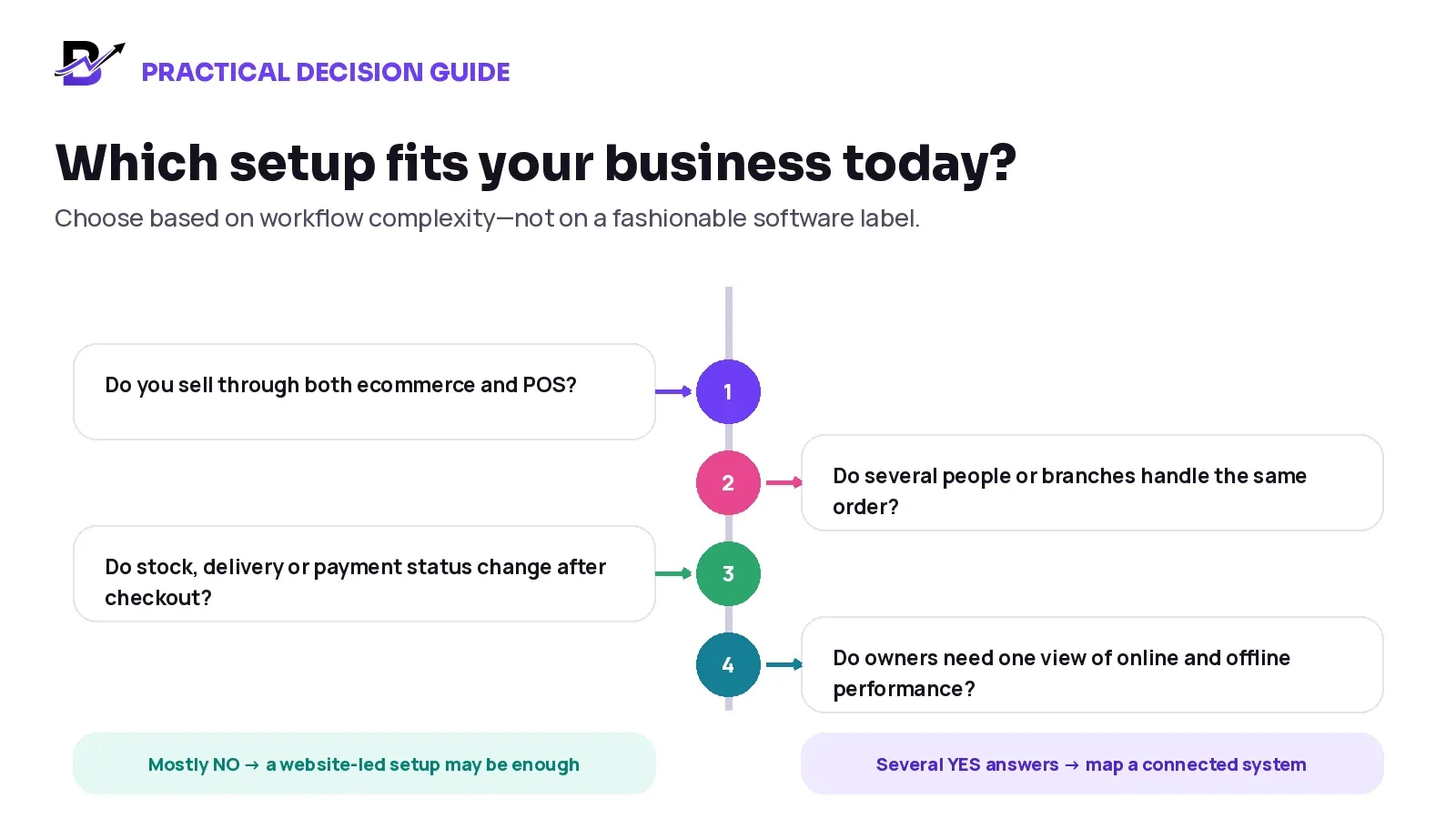
Several “yes” answers do not automatically prove which product to buy, but they are a strong reason to map the full workflow before choosing software.
One platform or several integrations?
A connected retail operation can be built in two main ways: one platform that covers the core workflow, or several specialist tools connected through integrations. Neither model is always correct.
Model | Advantages | Trade-offs |
|---|---|---|
One connected platform | Fewer handoffs, one support relationship, shared data model, simpler training and more consistent reporting. | May not have the deepest specialist feature in every area; advanced requirements can still need integrations or custom scope. |
Several specialist tools | The business can choose a strong product for each function and replace one component without changing everything. | Requires integration ownership, data mapping, monitoring, error handling, vendor coordination and a clear source of truth. |
The decision should be based on business complexity, internal technical capacity and the cost of maintaining handoffs. A small or mid-sized specialty retailer may value simplicity. A large organisation with a technology team may prefer a wider integration architecture.
The source-of-truth test. Ask which system owns each important record: products, customers, prices, orders, payment status, stock, delivery status and reports. If no one can answer clearly, the workflow is not truly connected.
How to compare systems during a demo
Do not begin with the longest feature list. Bring one normal order, one custom order and one exception from your own business. Ask the provider to show what happens at every step.
Demo question | What to verify |
|---|---|
1. What does the customer experience include? | Review product options, add-ons, recipient details, messages, pickup or delivery, payment and customer self-service. |
2. What happens immediately after payment? | Ask where the order appears, how payment status is shown and who becomes responsible. |
3. Do ecommerce and POS share the same records? | Check products, customers, prices, stock, orders, returns and reports—not only a visual integration. |
4. How are branches and staff handled? | Ask how orders are routed, how permissions work and how the owner sees activity by branch and person. |
5. How does inventory behave? | Test an online sale, POS sale, cancellation, transfer, damage, purchase and manual correction. |
6. How are custom or assisted orders created? | Ask about telephone, WhatsApp, manual, corporate or payment-link orders and whether they enter the same workflow. |
7. How are pickup and delivery managed? | Review zones, charges, minimum orders, dates, slots, drivers, status, exceptions and proof. |
8. What does customer service see? | Check whether permitted users can answer payment, preparation and delivery questions from one order timeline. |
9. Which reports are genuinely connected? | Review online, POS, product, branch, staff, stock, purchase, cash and delivery reporting. |
10. What is standard and what needs extra work? | Separate built-in features from configuration, data migration, integrations, custom development and third-party fees. |
11. What happens when something fails? | Ask about payment failure, missing stock, rejected orders, failed delivery, refunds, downtime and integration errors. |
12. How will the team be onboarded? | Review data preparation, roles, testing, training, launch support and responsibility after go-live. |
Best demo test. Ask the provider to follow one real order from product selection to the final report. A polished homepage is useful, but it does not prove the operational workflow.
Where Bloomlytix fits
Bloomlytix is an AI-powered ecommerce and retail operating system built for specialty retail and delivery-first businesses. It connects a branded ecommerce website, customer apps where included, Point of Sale, order fulfilment, staff workflow, inventory, purchases, payments, cash tracking, delivery and reports around shared business data.
The platform is designed especially for businesses such as florists, gifting brands, bakeries and cake shops, and other retailers that manage visual products, custom details, scheduled or same-day delivery and both online and in-store sales.
Bloomlytix is not presented as the right answer for every business. The suitable launch scope depends on the catalogue, branches, team, customer apps, data migration, payment providers, delivery model, country requirements, integrations and any specialist functions the business needs. You can compare the available scope on the Bloomlytix pricing page.
Frequently asked questions
What is the difference between an ecommerce website and a retail operating system?
An ecommerce website mainly helps customers discover products, place orders and pay. A retail operating system connects the sale to POS, staff fulfilment, inventory, payments, pickup or delivery, cash and reporting.
Can an ecommerce platform also be a retail operating system?
Yes. Product categories overlap. A modern ecommerce platform may include POS, inventory, fulfilment and delivery tools. The important test is whether the real operational records and workflows stay connected.
Does every small retailer need a complete operating system?
No. A website-led setup may be enough for a small team with one location, simple products, one main sales channel and straightforward fulfilment. The need grows as channels, branches, staff and exceptions increase.
Is a POS the same as a retail operating system?
No. A POS mainly supports in-person or staff-assisted sales. A retail operating system has a wider role and may connect POS activity to ecommerce, fulfilment, inventory, payments, delivery and reporting.
Can separate tools work well together?
Yes, when the integrations are reliable and the business has clear ownership for data, monitoring, errors and vendor coordination. Separate tools become risky when no one knows which system is the source of truth.
What information should move from checkout into fulfilment?
At minimum, staff usually need the product, options, add-ons, customer or recipient details, address, timing, notes, payment state and any approved special instructions relevant to preparation or delivery.
How should a retailer choose between one platform and several tools?
Map the real order journey, count the handoffs, identify the source of truth for each record and compare the cost of integration maintenance with the value of specialist depth. Then test the exact workflow in a demo.
Checkout should create the order—not another manual process
A strong ecommerce website makes buying easy. A strong retail operating system makes the promise behind that purchase easier to complete. Many businesses need both roles, whether they are delivered by one platform or several well-managed tools.
The best choice is the one that matches the way your business really sells, prepares, hands off, delivers and reports. Start with the order journey, not the software label.
Quick decision summary
Your situation | Likely starting point |
|---|---|
Simple online selling, one location and a small team | A strong ecommerce website with a clear manual fulfilment process may be enough. |
Ecommerce + POS, several staff or branches, custom orders or delivery | Map a connected retail operating system and test the complete order journey. |
Highly specialised requirements and an internal technology team | Compare an integrated stack with one-platform simplicity and define the source of truth for every record. |
Related Bloomlytix pages: Complete platform · Florist ecommerce · Florist POS · Gift shop software · Bakery software · Pricing